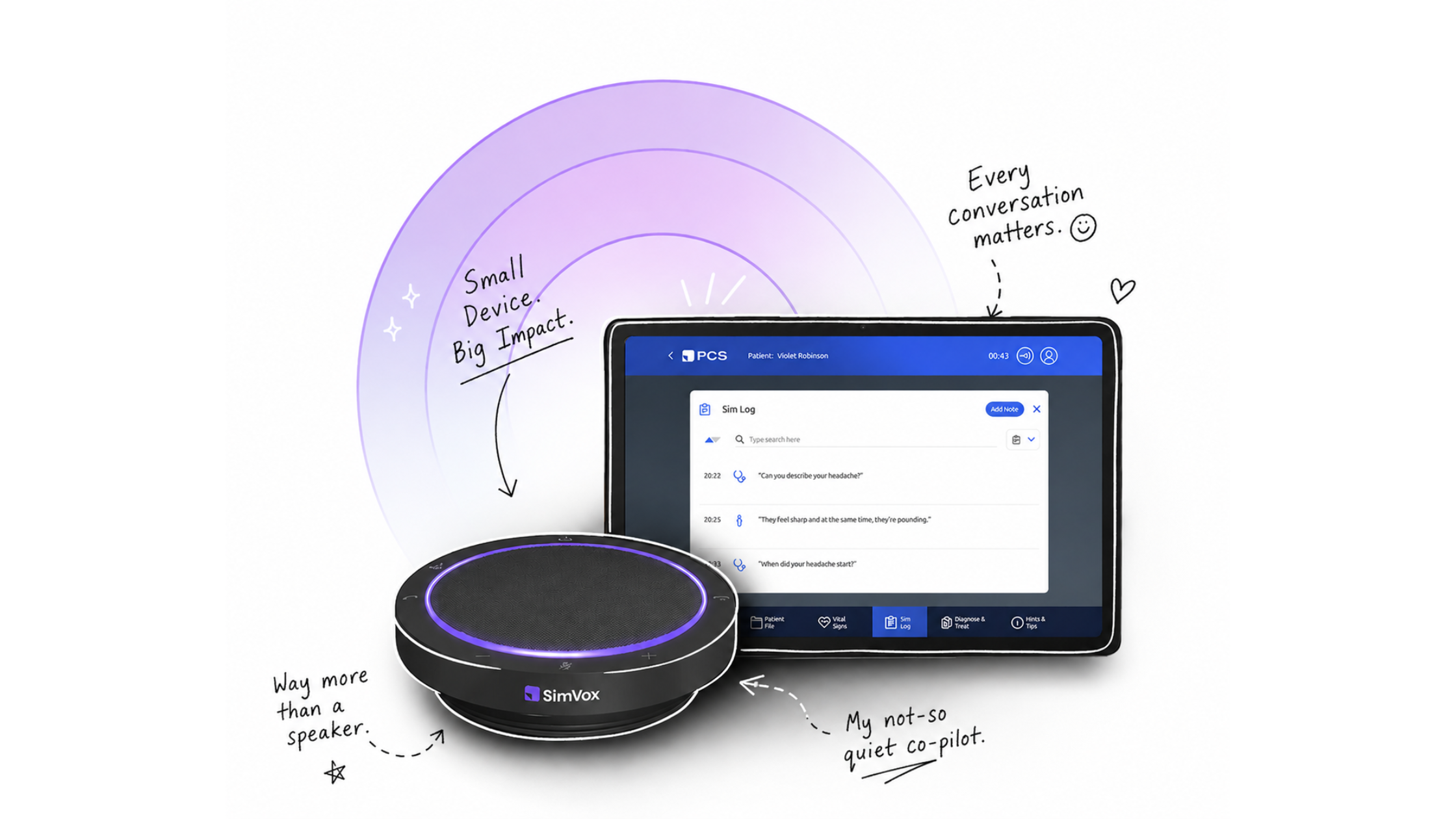
Last week, Nick and the PCS.AI sales team hosted a Lunch & Learn to introduce simulation educators to SimVox Pro — the AI-powered smart speaker that gives any fidelity manikin a voice for realistic communication training. In just 30 minutes, Nick covered what SimVox is, how it works, and who it's for, then ran a live demo across four different patient scenarios.
Attendees from medicine, nursing and health science programs joined in, and the chat filled up fast with great questions. If you couldn't make it live, you can catch the full recording here: Watch the SimVox Pro Demo Webinar.
Here's a recap of what was covered — the product itself, what the live demo showed, and the questions attendees asked in chat.
What Is SimVox Pro?
SimVox Pro is a smart speaker that pairs with any manikin — low-fidelity, mid-fidelity, or high-fidelity — to give it a voice. Learners ask the "patient" questions out loud, and the AI understands and responds in character, based on whatever scenario is running.
The hardware is simple: a Bluetooth smart speaker paired with an tablet. The tablet connects to the internet, which connects to PCS.ai's servers running the actual AI simulation. From the tablet, you pick from one of 55 included scenarios spanning acute care, outpatient care, mental health, women's health, pediatrics, and gerontology — or build your own from scratch.
Why programs are using it
A few themes came up repeatedly:
- Realism, backed by research. A 2026 study from the University at Buffalo School of Nursing found that nursing students reported significantly higher psychological "presence" — the sense of really being in the scenario — when the patient was voiced by SimVox's AI compared to a human voicing the patient live, with no tradeoff in self-perceived clinical judgment. (Read the study) As Nick put it during the demo, learners can get pulled out of the moment the second they recognize a familiar voice — like their own professor's — coming from the manikin.
- Freeing up staff. Sim techs no longer need to be the ones voicing the patient in real time, which frees them up to manage other parts of the scenario.
- Handling hard-to-role-play scenarios. Pediatric and mental health scenarios in particular can be difficult for staff to portray convincingly. SimVox is built to model those conversations realistically.
How it's different from ChatGPT or Gemini
This came up directly in the demo. A few reasons SimVox's model behaves differently from the mass-market AI tools most people have used:
- Lower latency. Mass-marketed, mass-utilized models like ChatGPT or Gemini are built to answer literally anything for anyone, which means running at massive, trillion-parameter scale. SimVox's model is purpose-built specifically for healthcare communication training — by comparison to those general-use giants, it's leaner, so responses come back quickly, closer to the natural pace of a real conversation instead of a multi-second delay.
- Standardization. Because it's trained on a defined "patient concept" rather than open-ended knowledge, one group of learners gets essentially the same answers as the next group asking the same questions — important for fair, consistent assessment.
- Realistic knowledge limits. Unlike a general-purpose chatbot built to know a little about everything, SimVox's patients intentionally don't. If a learner uses medical jargon the patient wouldn't understand, or asks something totally off-topic, the patient will ask for clarification or say they don't know — just like a real patient would.
These aren't just talking points, either — a qualitative study on using ChatGPT as a standardized patient found similar friction in practice: faculty needed heavy prompt-engineering to get consistent roleplay, safety guardrails sometimes blocked standard clinical questions, and students noticed a flat tone regardless of what the "patient" was saying. Worth a read: ChatGPT Can Play a Patient — It Wasn't Built to Be One.
Live Demo Highlights
Nick ran through several scenarios live to show the range of what SimVox can do:
- Valerie Miller — a straightforward medical interview scenario (headache/migraine complaint), used to demonstrate the basics: how the mic works, how door notes give learners their objectives, and how the AI responds naturally to differently-phrased questions.
- Nisha — a mental health scenario with three variations (opioid addiction, alcohol addiction, and suicidal ideation). The demo showed the AI starting the conversation defensive and aggressive, requiring the learner to de-escalate and build rapport before Nisha became open to treatment.
- George Callahan — a stroke scenario using a newly released voice model with realistic speech pathology (slurred speech), launched in the last few months as part of PCS's expanding voice engine.
- Violet — an eight-year-old pediatric patient in respiratory distress, demoed live in response to an attendee request. Notably, Violet's mother, Vesper, is also present in the scenario, so learners can question either the child or the caregiver — a detail attendees specifically said they wanted to see.
After each scenario, faculty get a sim log (a full transcript of everything said) and an automatic assessment: a checklist-style score against the scenario's clinical criteria, plus qualitative feedback on communication — for example, where a learner used good empathetic language versus where they could improve. Scoring rubrics are fully customizable and can be adapted to your program's own criteria.
For low-fidelity manikins specifically, SimVox can also display a vital sign monitor to add physiology alongside the conversation — a way to bring more realism to manikins that might otherwise be sitting unused.
Building Your Own Scenarios
Most SimVox users end up building custom scenarios rather than relying solely on the included 55+. The workflow: open any existing scenario, hit "copy," and start editing.
Each scenario is built from a structured "Patient Concept" — about 15 fields covering the opening line/reason for visit, history, medications, allergies, associated symptoms, and more. The opening line is typically written in quotes, meaning the patient responds with that exact wording every time a learner asks what brought them in — everything else is used by the AI to generate consistent, in-character responses. A real-time "double pane" preview lets you test how the patient will respond to a question as you edit the scenario, without needing to run a full simulation.
One best practice Nick emphasized: fill in every field with clinically relevant information for the case you're building. Leaving a field blank isn't wrong by default — it signals to the AI that you're indifferent to how the patient answers on that point, and it will improvise. That can be perfectly fine, or even intentional, if that detail doesn't matter for your scenario. But if standardization across sections matters — for example, you want every learner to hear the same answer regardless of who's running the session — that's a field worth filling in explicitly rather than leaving to chance.
You can also customize the patient's avatar/voice (15+ voice options), gender, age, weight, and language — SimVox now supports over 20 languages, including English, Spanish, French, German, Japanese, Korean, and Turkish, among others.
Attendee Q&A
"How long can you chat before you run out of tokens?"
Quick definition first: "token" isn't a SimVox-specific term — it's standard AI industry terminology (the same word you'd hear used around ChatGPT or other AI tools). It's the unit AI systems use to measure how much conversation they've processed, roughly a word or word-fragment. It's a behind-the-scenes usage measurement, not something learners or faculty ever see or manage during a scenario.
With that said — there's no hard limit on any single conversation. The 5-year subscription includes an overall usage allotment, and in practice no institution using SimVox has come close to using it up — the highest usage so far has been around 75% of the total allotment over the full term, not per session.
"Are there simulations for difficult end-of-life conversations?"
Yes — SimVox includes scenarios built for difficult conversations, including a pancreatic cancer patient encounter, and additional versions can be built to match your own case studies.
"Can we paste in our own materials, like an NLN form, to build a scenario?"
Yes. Existing documentation — including NLN-style scenario templates — can be copied directly into the Patient Concept fields described above, so programs don't have to start from a blank page.
"What training is included when we purchase?"
An initial onboarding session, plus unlimited virtual training sessions for the full 5-year term — so you can bring new staff up to speed or get a refresher any time.
"Do we need a separate SimVox unit for every room? What does it cost?"
Only if you're running simultaneous sessions on different manikins or in different rooms at the same time — otherwise one unit can move between rooms. Pricing (at time of publishing, for US users): one SimVox Pro license is $16,995 for a 5-year term, covering hardware, software, and training.
"What happens after the 5-year term? Is there a renewal, and how much does it cost?"
This one came up in chat and wasn't fully answered live — if you're evaluating SimVox, it's worth confirming renewal terms directly with sales before you commit.
Want to See It for Yourself?
The best way to get a feel for SimVox Pro is to watch it in action. Check out the full recorded demo to see all four scenarios and the scenario-builder walkthrough, or reach out directly with your own questions.
Contact: sales@pcs.ai
Have a question that wasn't covered here? Reach out to sales@pcs.ai — the PCS.AI team is happy to set up a one-on-one demo showing how your existing manikin scenarios could be adapted to run on SimVox.